Documentation
Assessing activities: the risk module
The risk module assigns a protection level to every activity. From the products in use, their H statements and the quantity handled, Caventi derives the bands with the EMKG control-banding scheme, for inhalation and skin contact (Gd64) and for fire and explosion (Gd65).
In the application the menu item is labelled "Risk assessment" (route /risk-assessment). The assessment is advisory and does not replace an assessment by a competent person; it does make the derivation traceable step by step. This page shows how to build the tree and read the bands. The method itself, the Gd64 and Gd65 tables, is described on the EMKG pages this page links to. the labels quoted here are the English ones, which you pick with the language selector in the header, and the screenshots on this page show the German interface.
The assessment tree
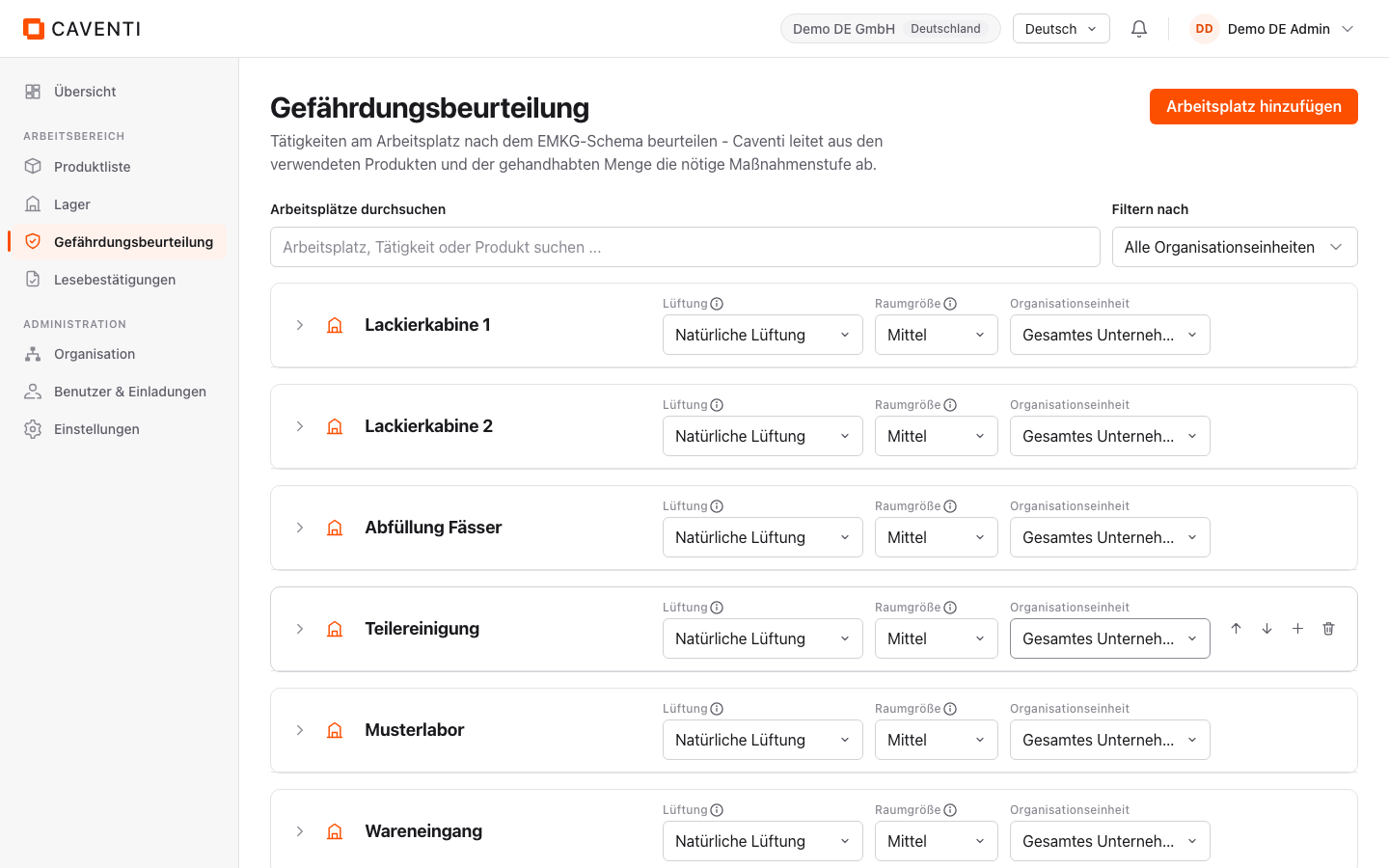
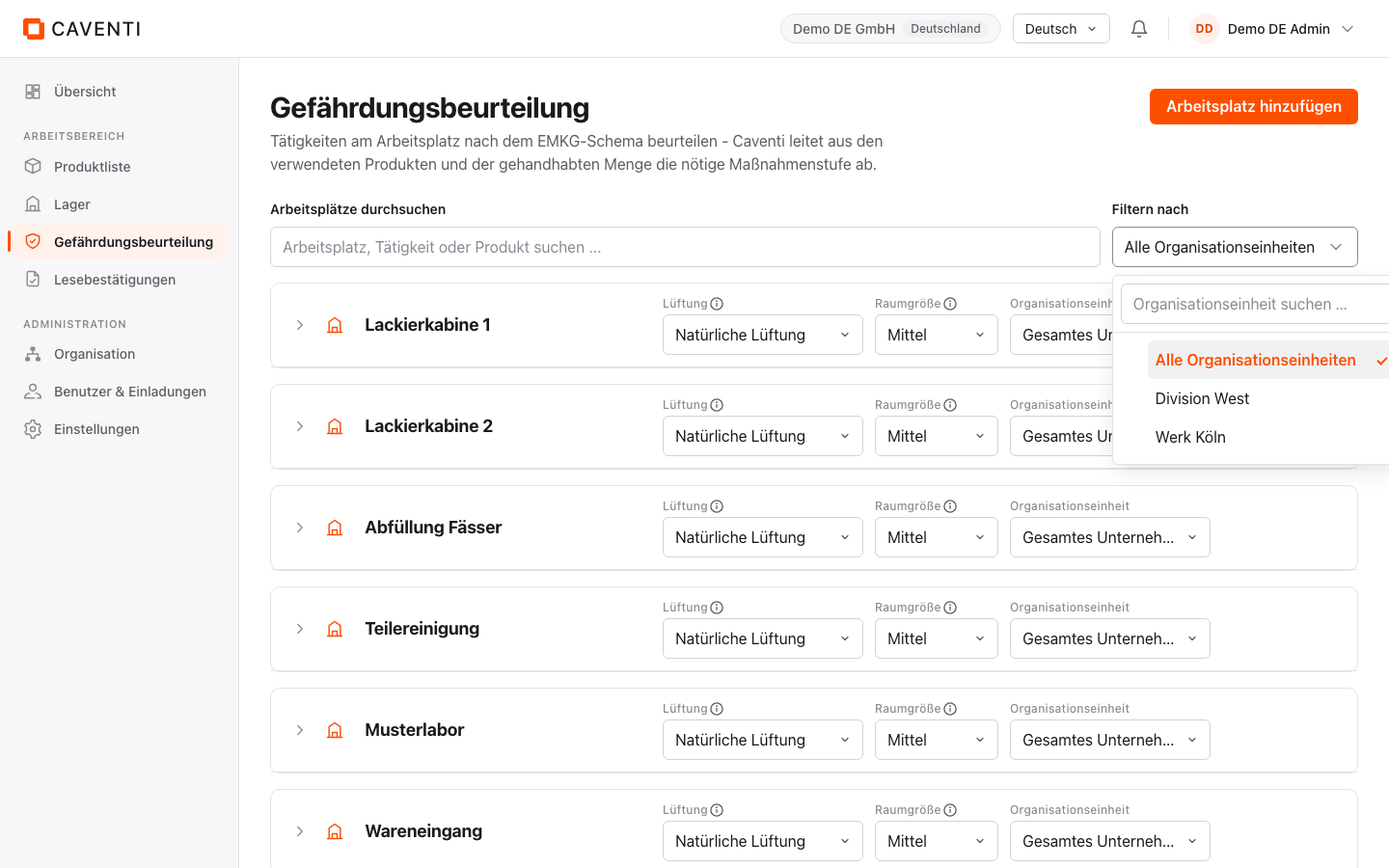
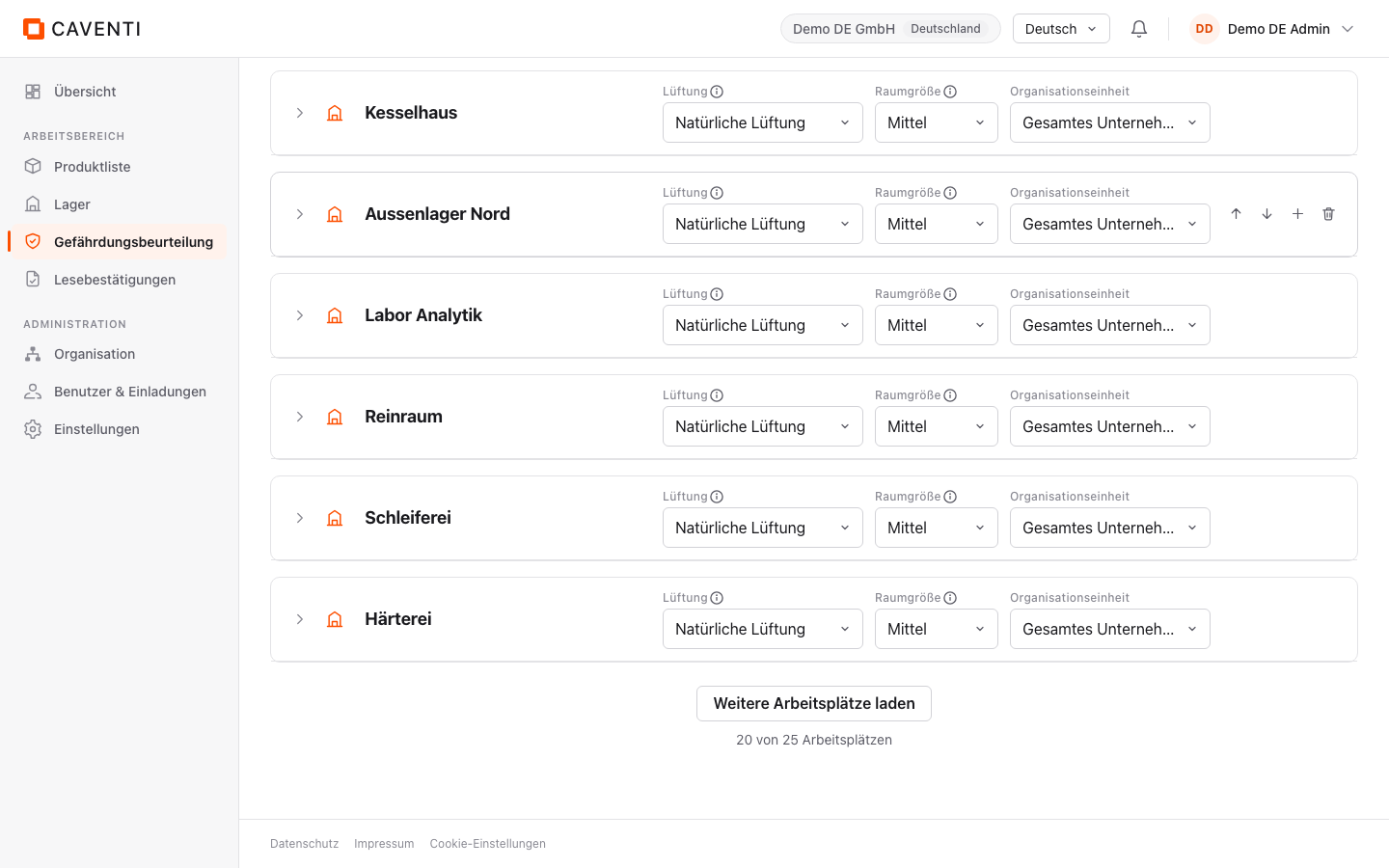
The tree has three levels: workplace, activity, product. You open it from the sidebar (Risk assessment); the intro explains "Tätigkeiten am Arbeitsplatz nach dem EMKG-Schema beurteilen". The workplace cards are collapsed by default. Each card carries the workplace inputs "Ventilation", "Room size" and "Organizational unit". Above the list you search with "Search workplace, activity or product" and filter with "Filter by" to an organizational unit; at the foot, "Load more workplaces" loads the next page (counter "21 of 25 workplaces").
Add a workplace
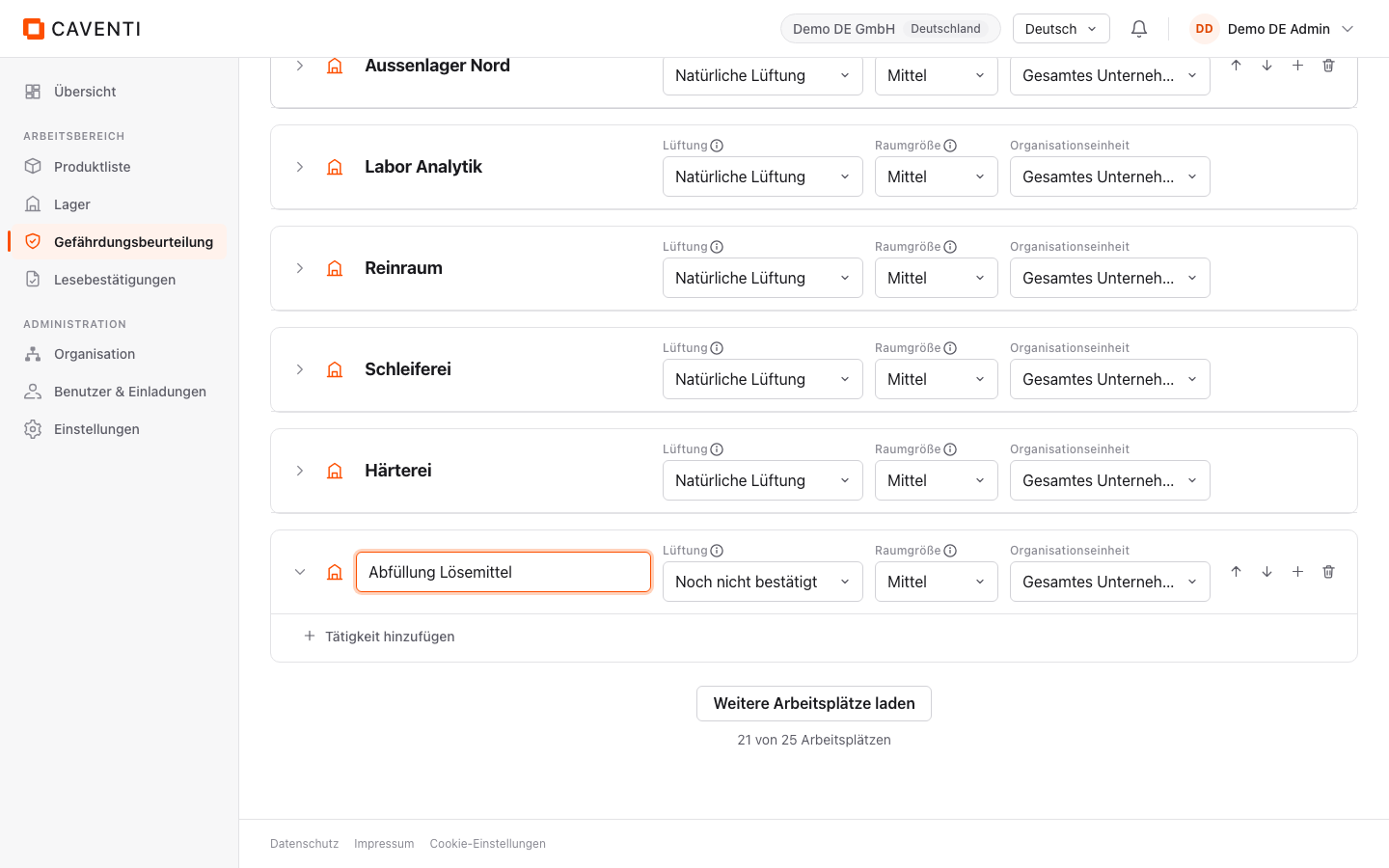
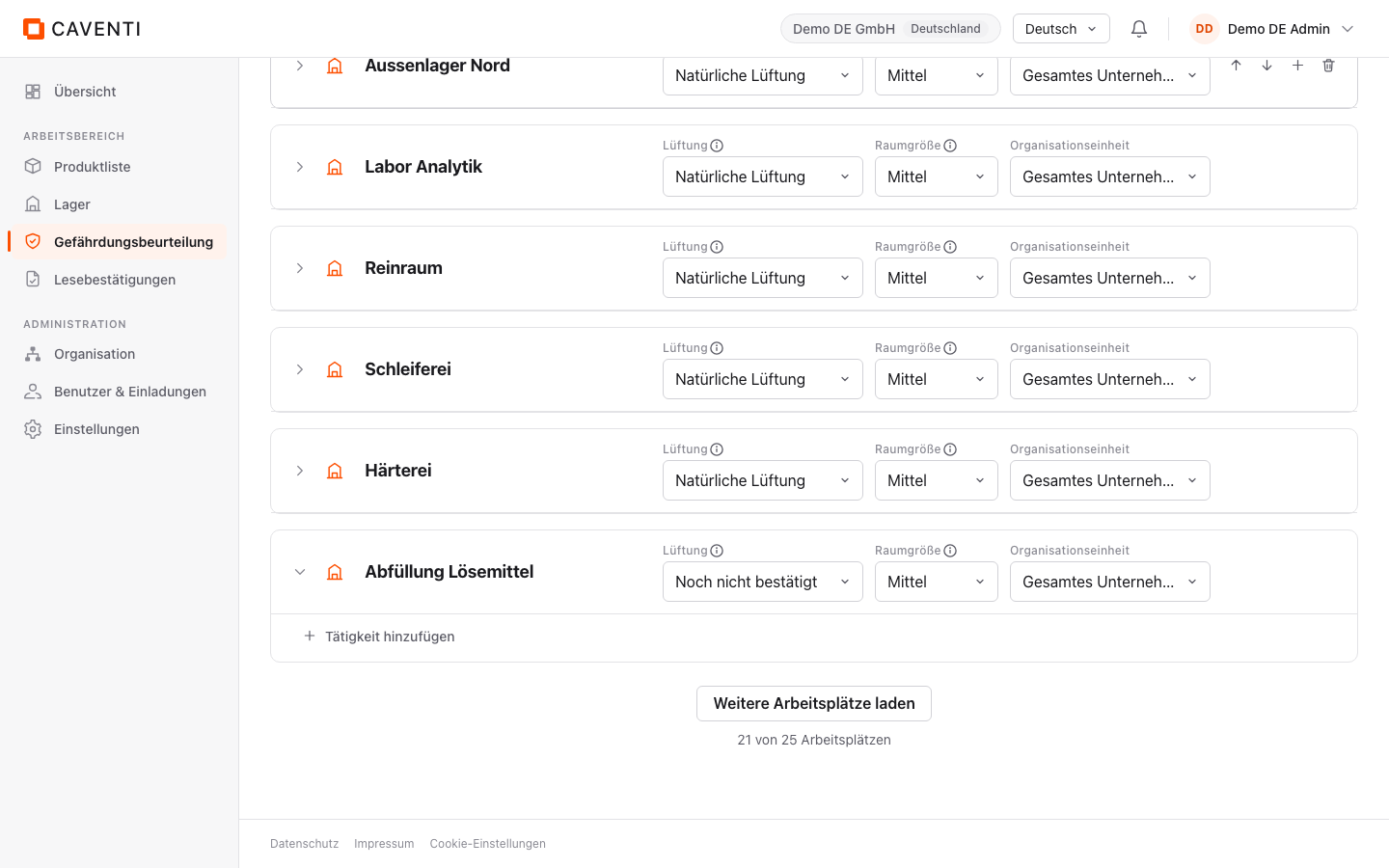
"Add workplace" opens an inline field "Workplace name"; after Enter the new node appears with its three inputs. "Ventilation" (e.g. "Natural ventilation") and "Room size" (e.g. "Mittel") carry an info icon that explains their meaning; both document the workplace and inform the ventilation warning, but do not change the EMKG protection level itself (which follows from hazard group, quantity and release). "Organizational unit" scopes the workplace ("Entire company" keeps it company-wide).
Activity and exposure inputs
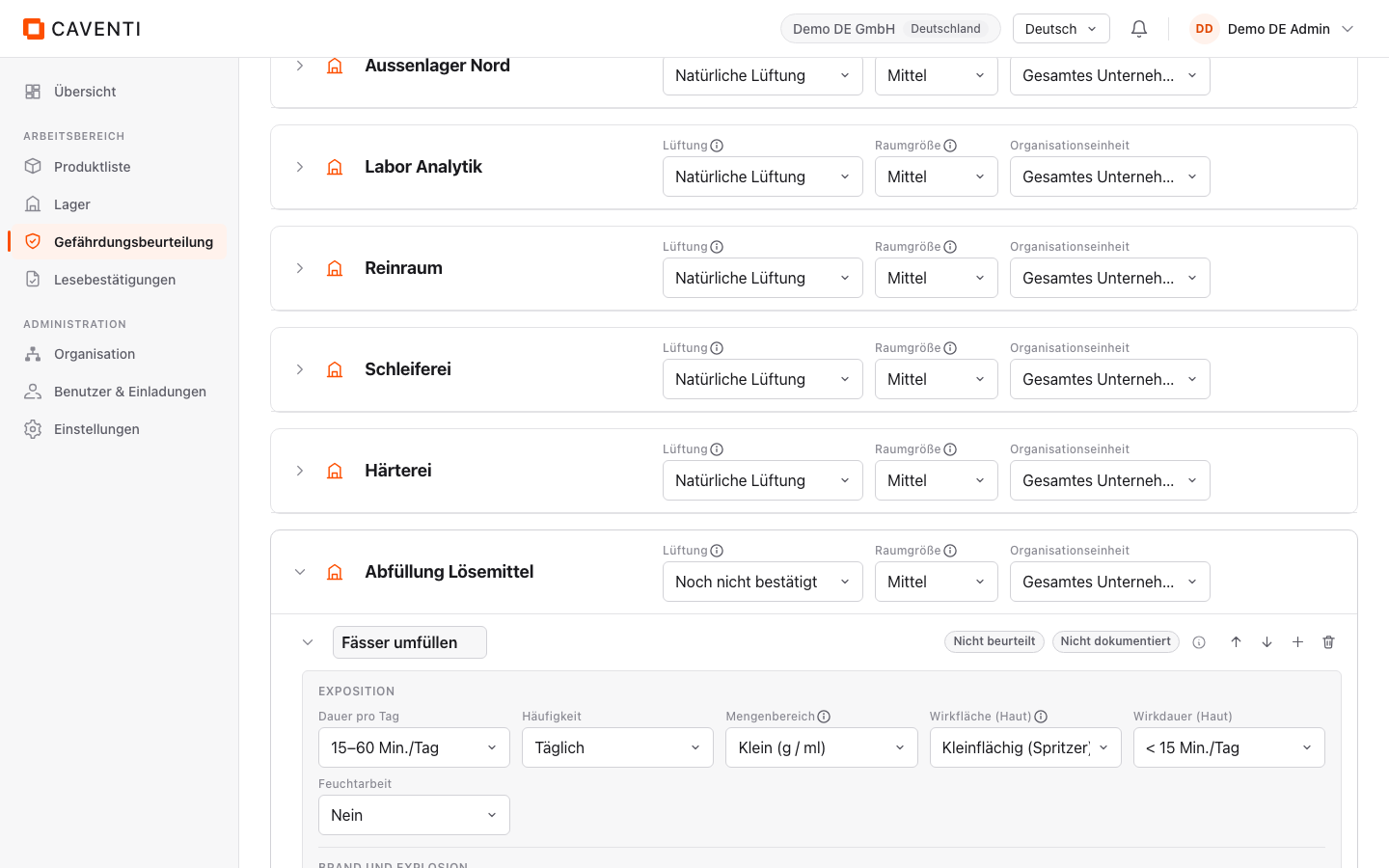
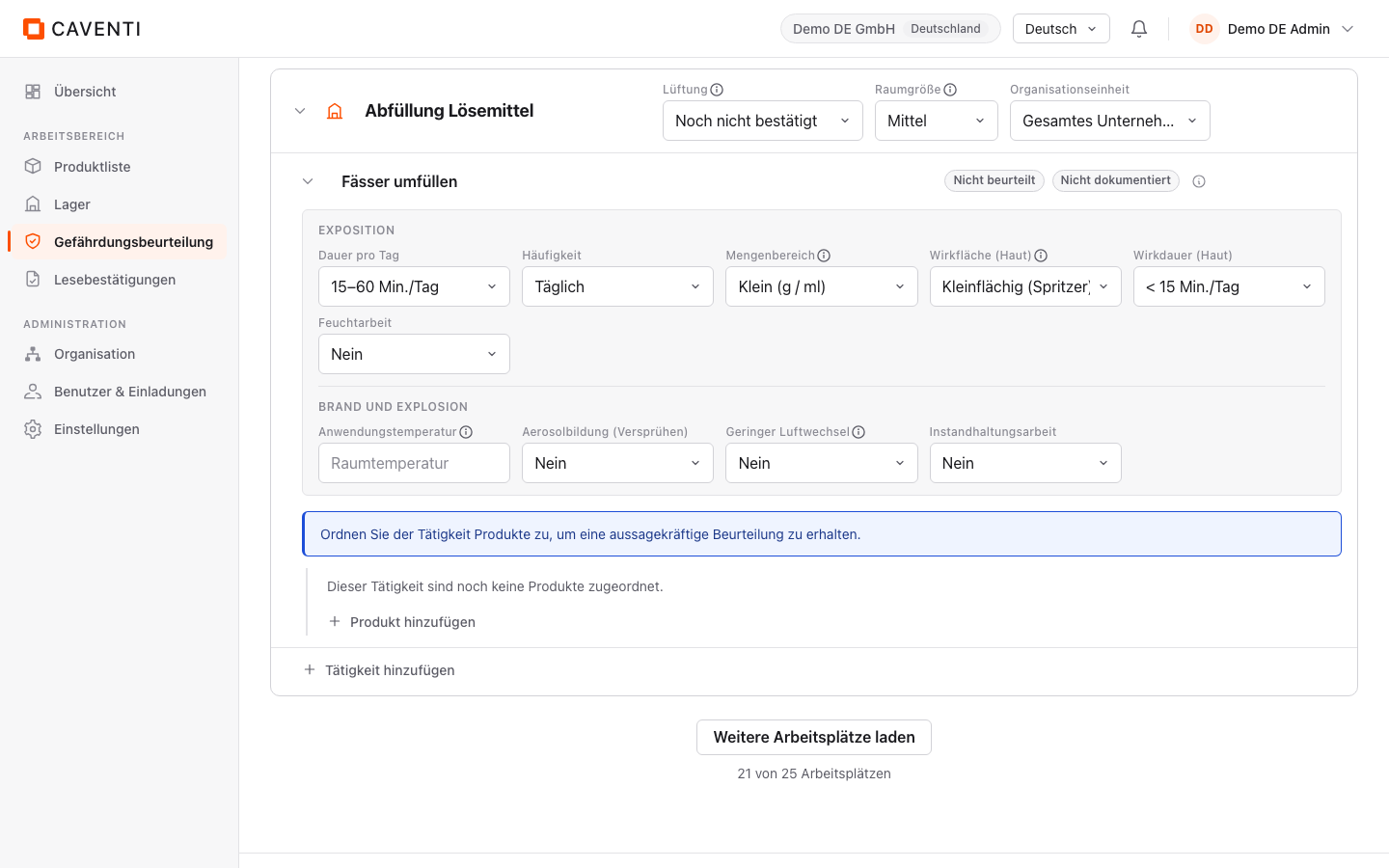
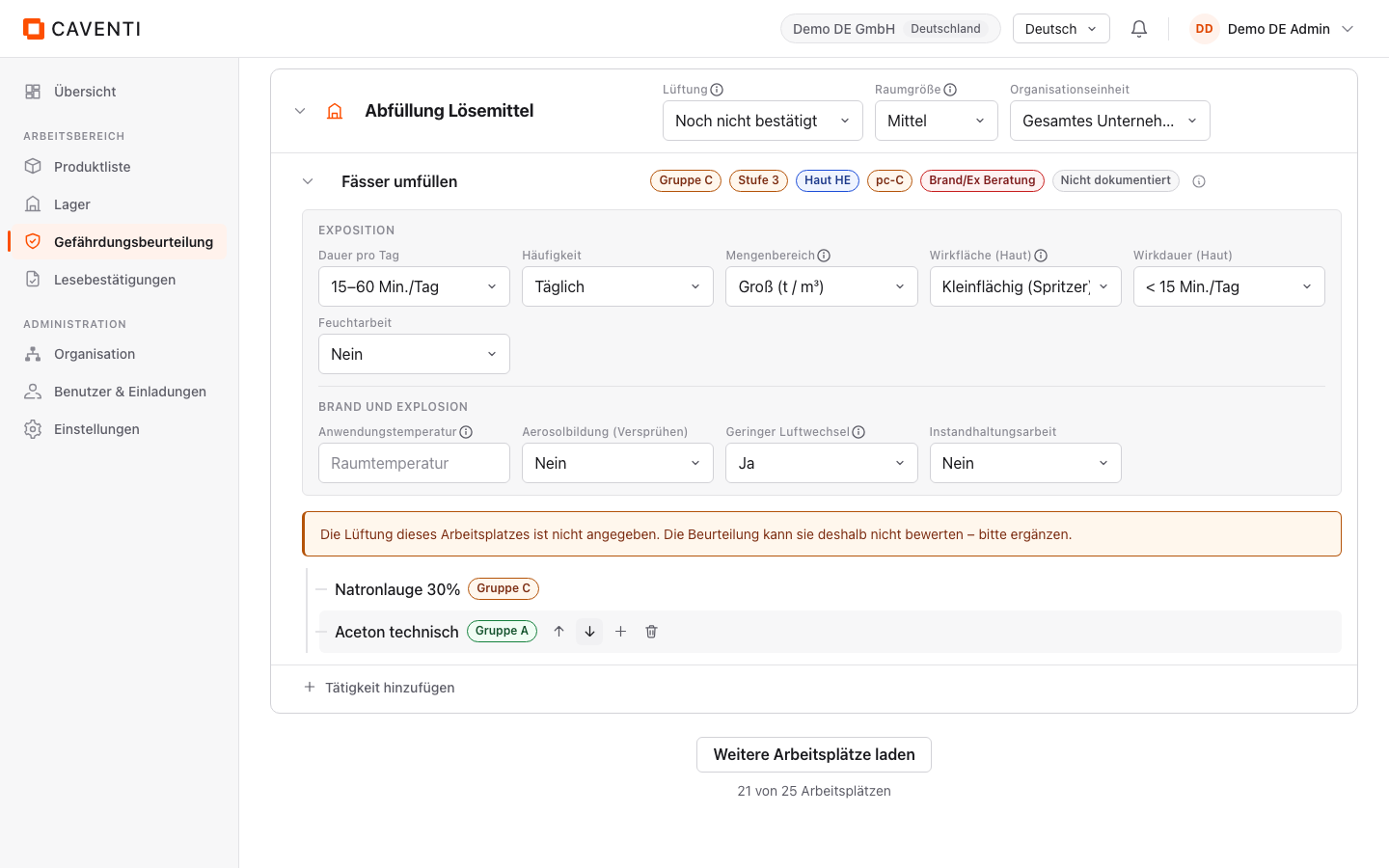
Inside a workplace, "Add activity" creates an activity. As long as no product is attached, the assessment strip reads "Not assessed": no level is invented. The expanded body groups the inputs into two panels: "EXPOSURE" (Duration per day, Frequency, Quantity band, Contact area (skin), Contact duration (skin), Wet work) feeds Gd64, "FIRE AND EXPLOSION" (Application temperature with the placeholder "Raumtemperatur", Aerosolbildung (Verspruehen), Low air exchange, Maintenance work) feeds Gd65.
Gd64: inhalation and skin contact
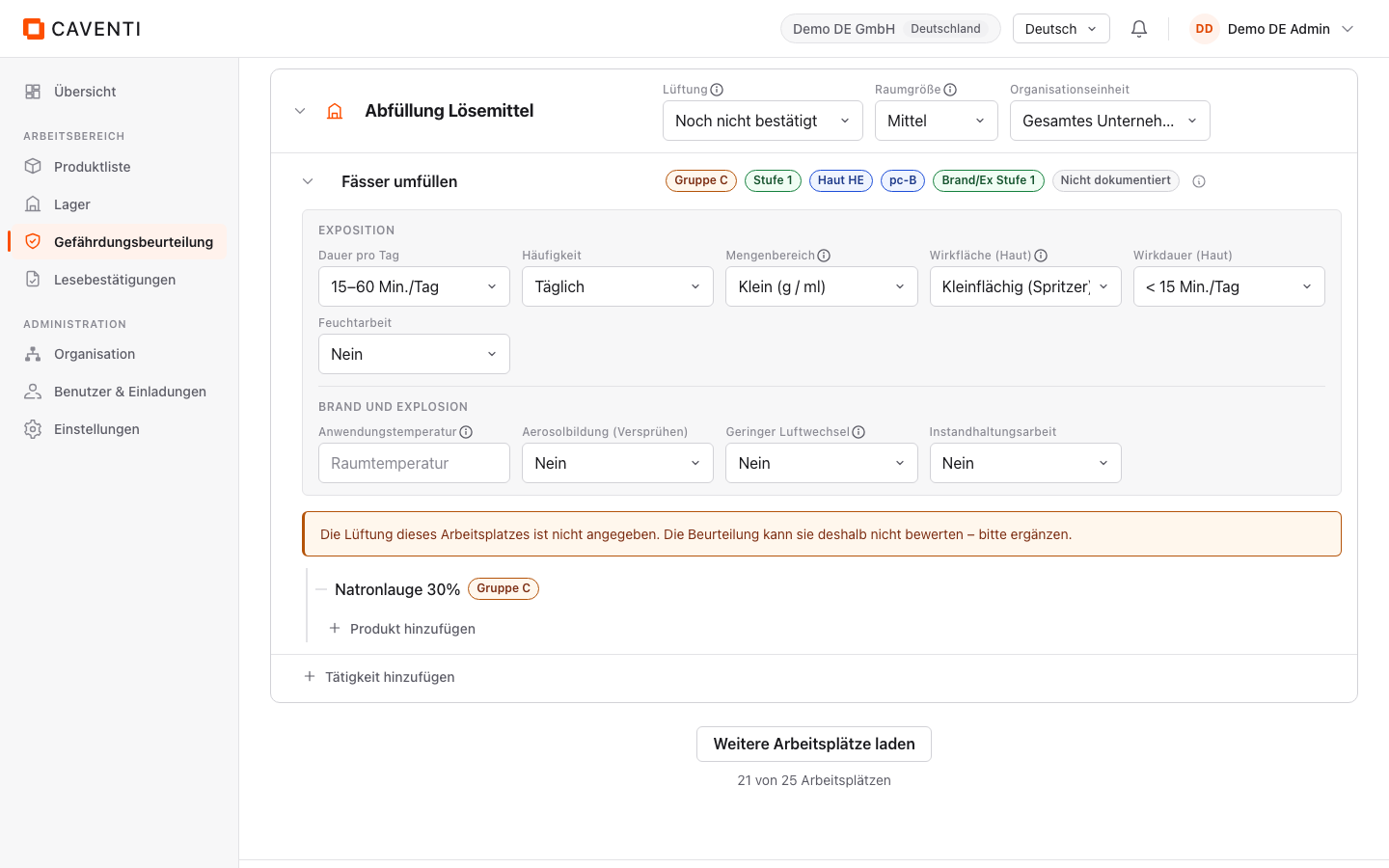
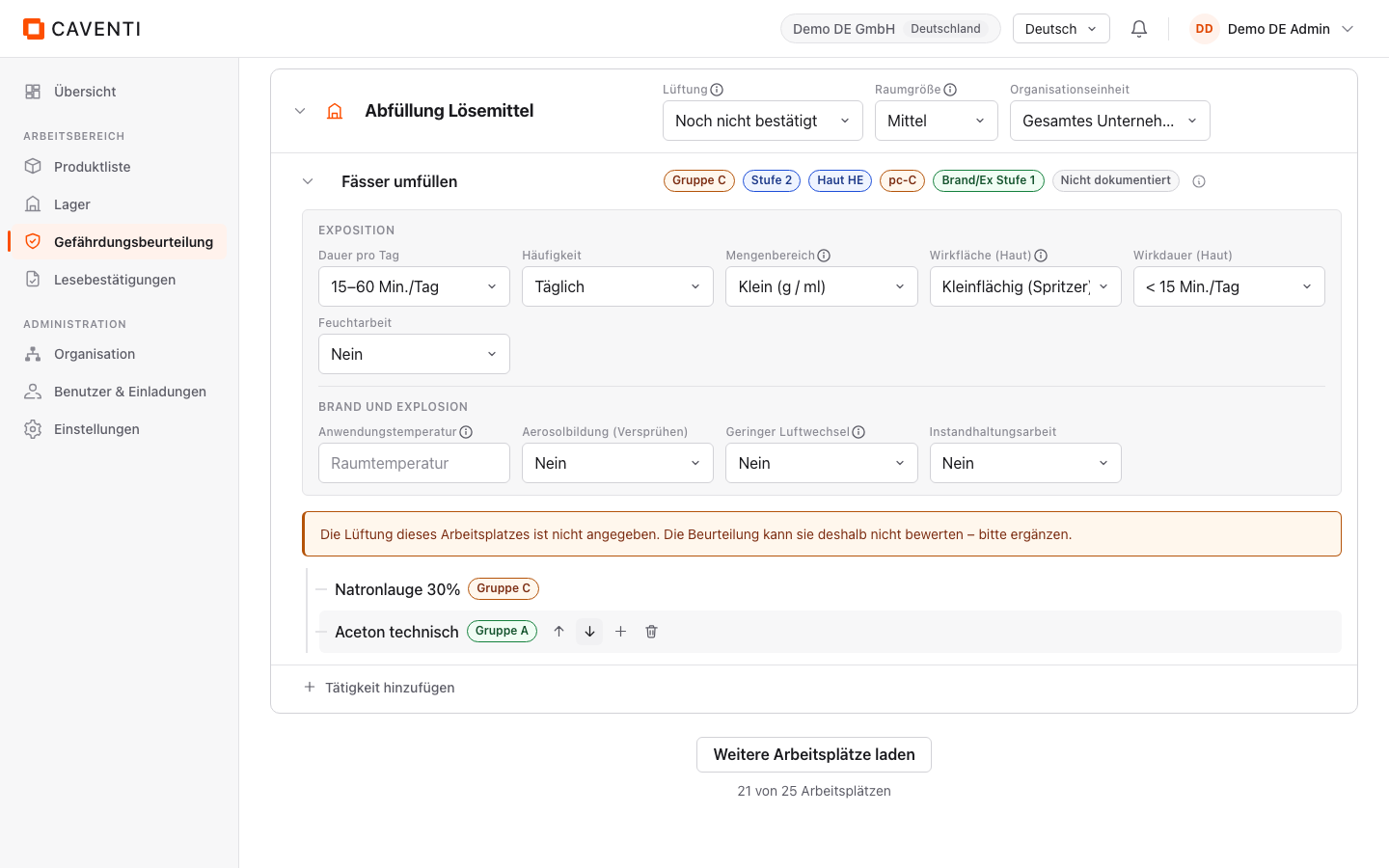
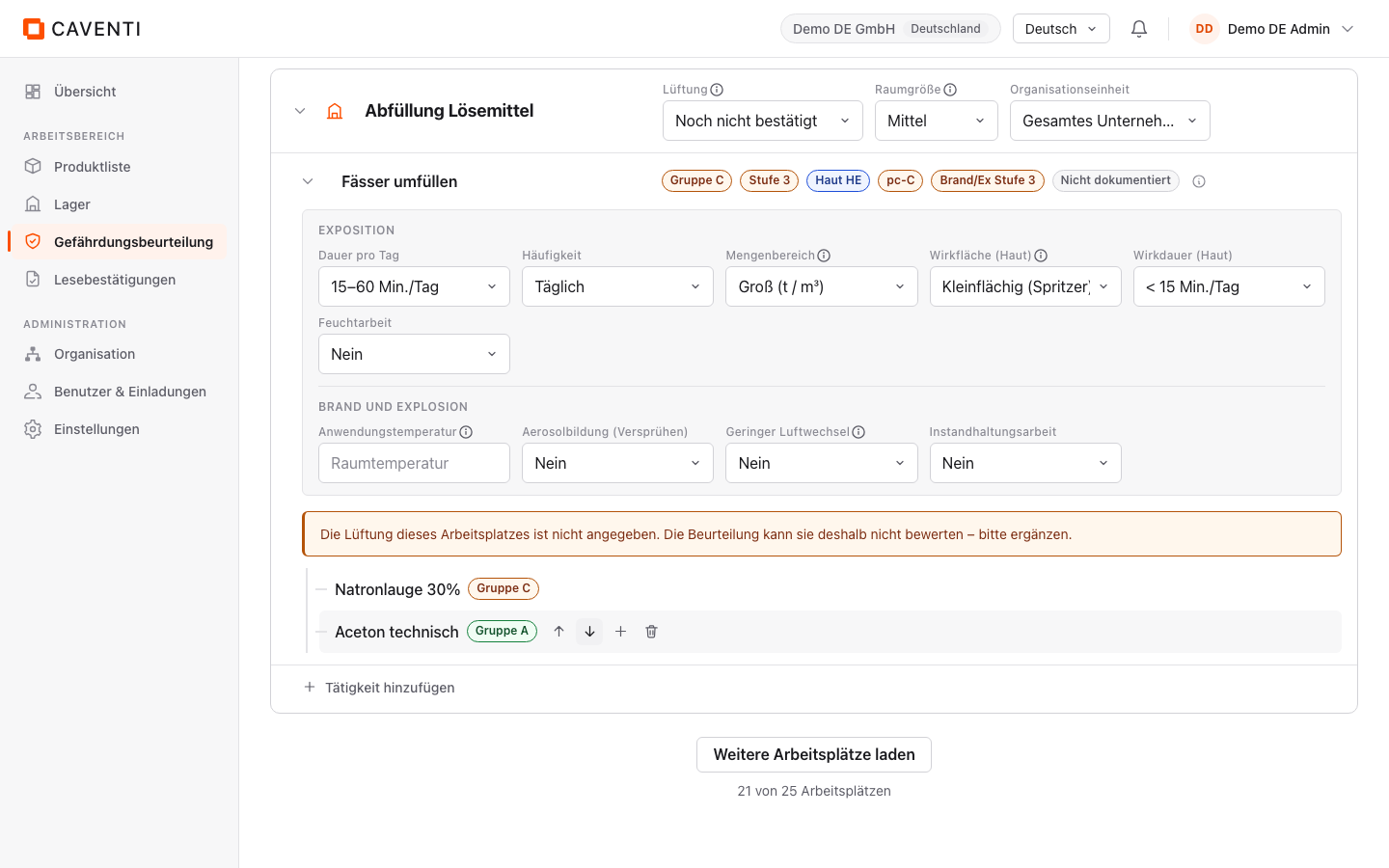
"+ Add product" opens a picker over the product register; after "Hinzufügen" the product hangs on the activity and carries a group badge (Natronlauge 30%: "Band C", driven by H314; Aceton technisch: "Band A"). The assessment strip shows three Gd64 bands: "Band C" (inhalation hazard group), "Level 2" (protection level) and "Skin HE" (skin-contact hazard group). Change "Quantity band" from "Klein (g / ml)" to "Gross (t / m³)" and the level climbs live to "Level 3". When the workplace "Ventilation" does not reach the needed level, the notice "The workplace ventilation does not meet the recommended control level." appears.
Each band is a link into the EMKG method: "Band C" leads to the hazard group, "Level 2" to the protection level, "Skin HE" to skin contact. What the bands mean and how the table computes is on the EMKG page.
Gd65: fire and explosion
As soon as a fire- or explosion-relevant product is attached, the strip gains two more bands: the hazard group "pc-C" and the measure level "Fire/Ex level 1". Aceton technisch (H225) leads to "pc-C", Natronlauge 30% via H290 to "pc-B"; the worst case wins. Quantity applies here too: "Quantity band" set to "Gross (t / m³)" lifts "Fire/Ex level 1" to "Fire/Ex level 3" (matrix of pc group, quantity and release).
Two inputs escalate outside the matrix. Set "Low air exchange" to "Ja" and the module applies the next-higher measure level: level 1 becomes level 2, level 2 becomes level 3. Only from a level 3 does this reach "Fire/Ex expert advice"; that last step is Caventi's conservative implementation. Because the quantity in the example is already set to "Gross" (level 3), "Low air exchange" set to "Ja" leads to "Fire/Ex expert advice" here; with a small quantity (pc-C, level 1) it would instead be "Fire/Ex level 2". An oxidising product (e.g. H271) lands directly on "pc-D" and "Fire/Ex expert advice" and skips the level ladder; its inhalation side is untouched (in the example "Band A" / "Level 1"). "Beratung" means: no standardised measure level, but a case-by-case assessment by a competent person.
How the assessment is derived
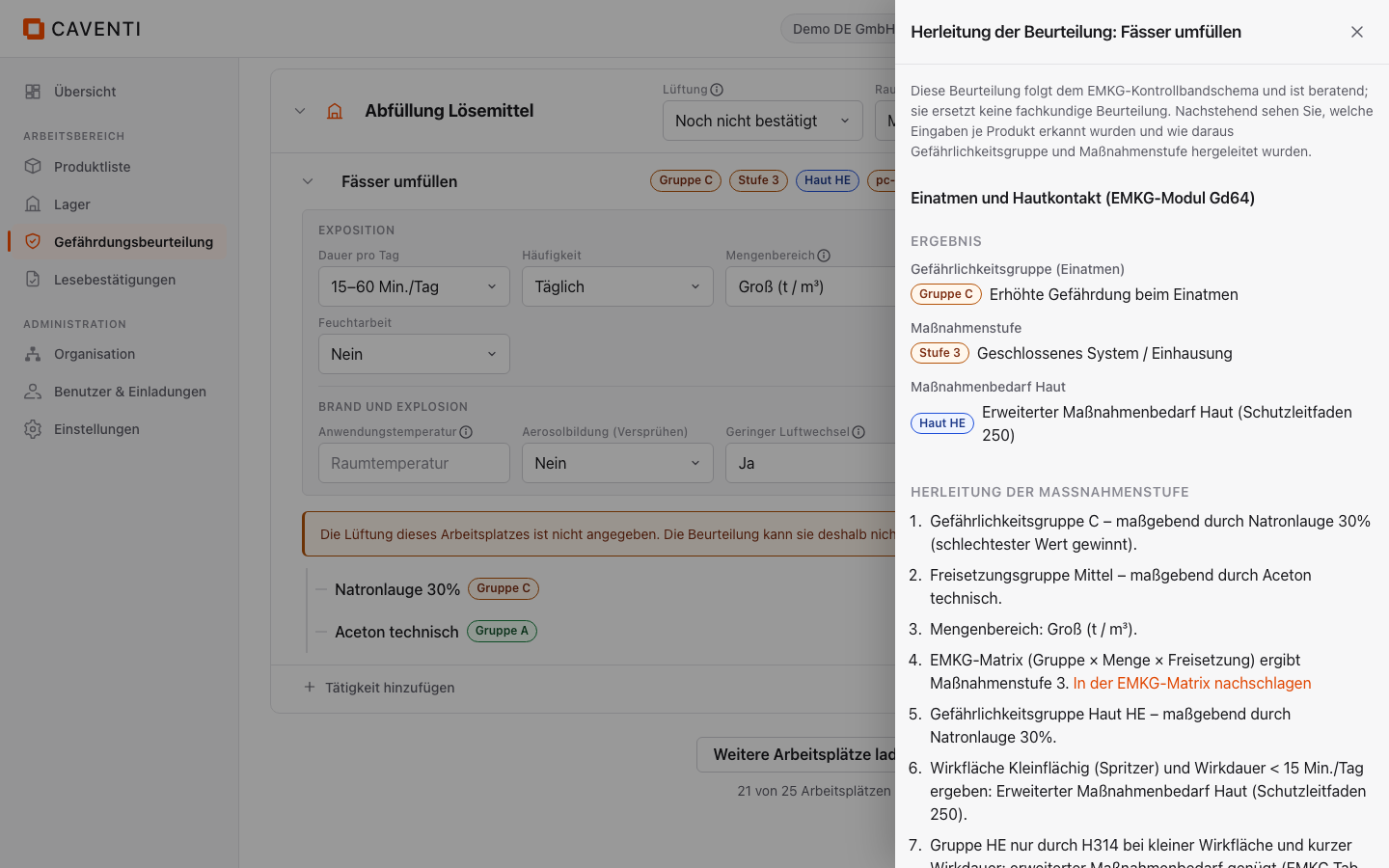
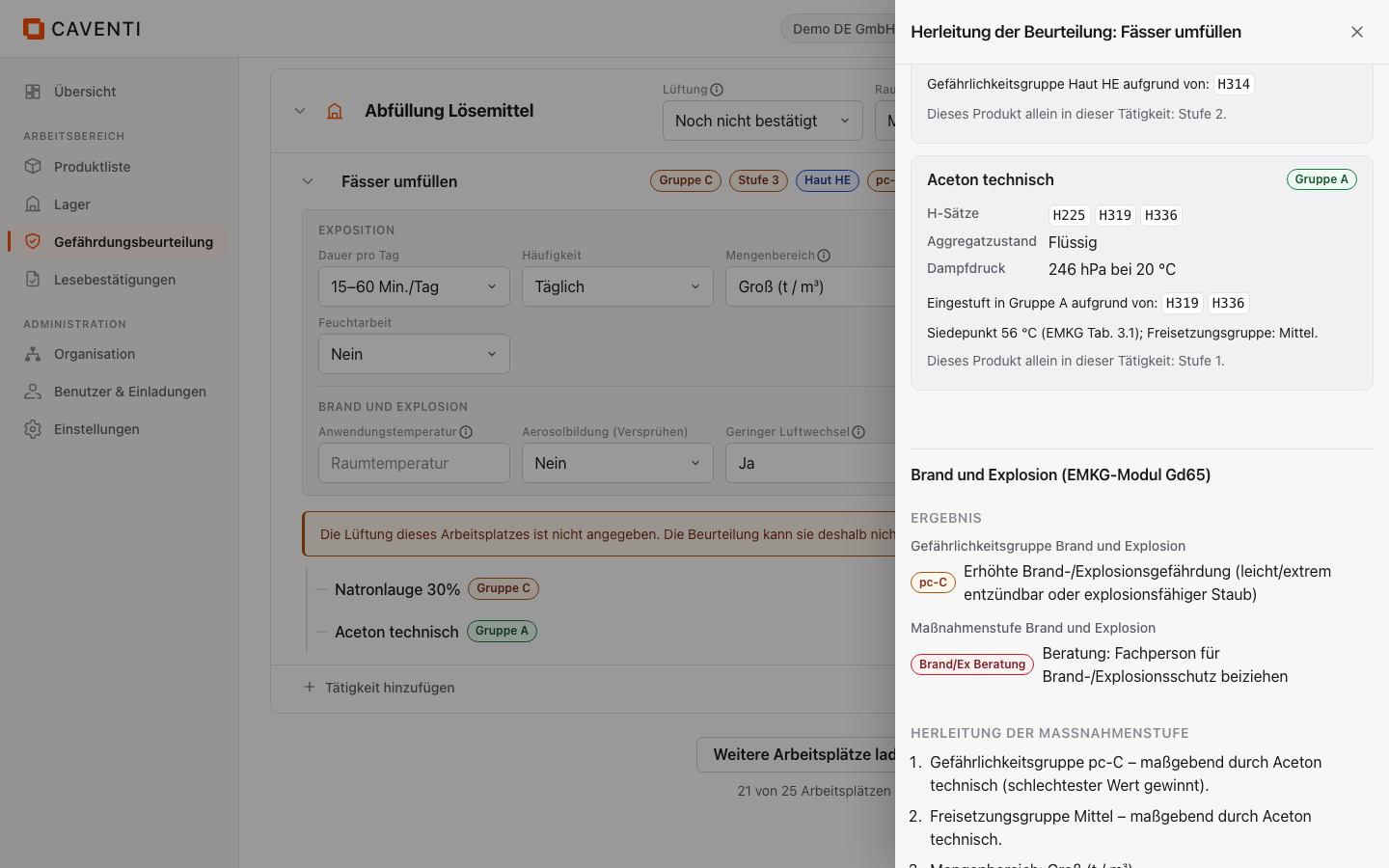
The info icon on the activity opens the dialog "How this assessment was derived: <activity>". It stacks two module sections, "Inhalation and skin contact (EMKG module Gd64)" first, then "Fire and explosion (EMKG module Gd65)". Each section shows "Result" (the bands in plain text), a numbered derivation and, per product, a card with the detected parameters. When a value is missing, a notice such as "Neither boiling point nor vapour pressure is stored, so release is conservatively assumed medium." appears (in doubt it rounds to the safe side).
The product cards list the H statements as chips, verbatim and never translated, together with the line "Eingestuft in Band ... aufgrund von: ..." (or "in pc-B aufgrund von: H290"). This is how the chips look in the dialog:
Aceton technisch: H225 H319 H336
Natronlauge 30%: H290 H314
Shown as H-code chips in the "How this assessment was derived" dialog; unchanged from the product record.
Measures: on the fire side the dialog lists concrete measures (protection guides 100/101/102, 2xx, 3xx, inspection intervals from level 2). The inhalation side shows no STOP measure list, but the numbered "How the control approach was derived". No general STOP-principle list is produced in this view.
Search, filter, paginate
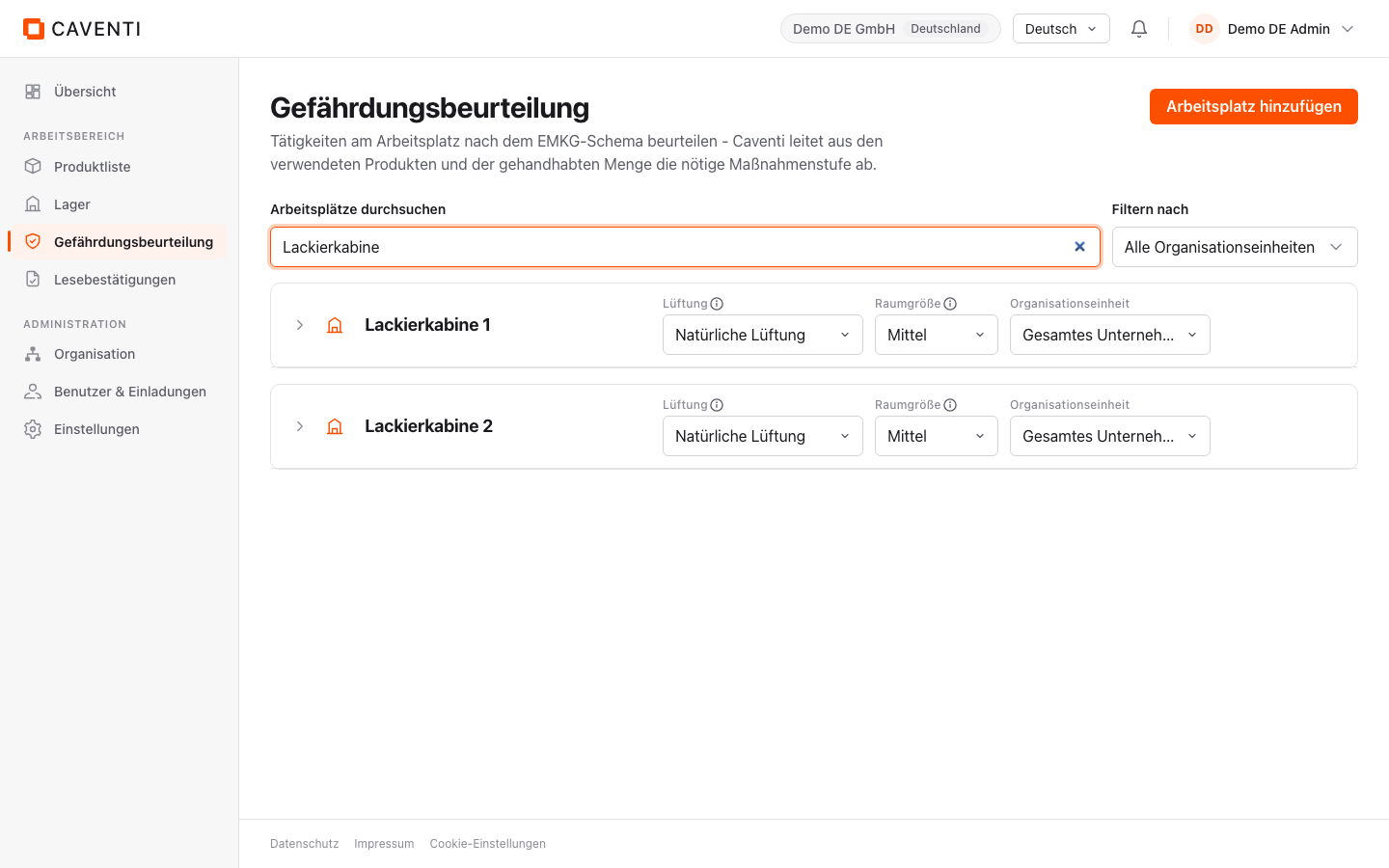
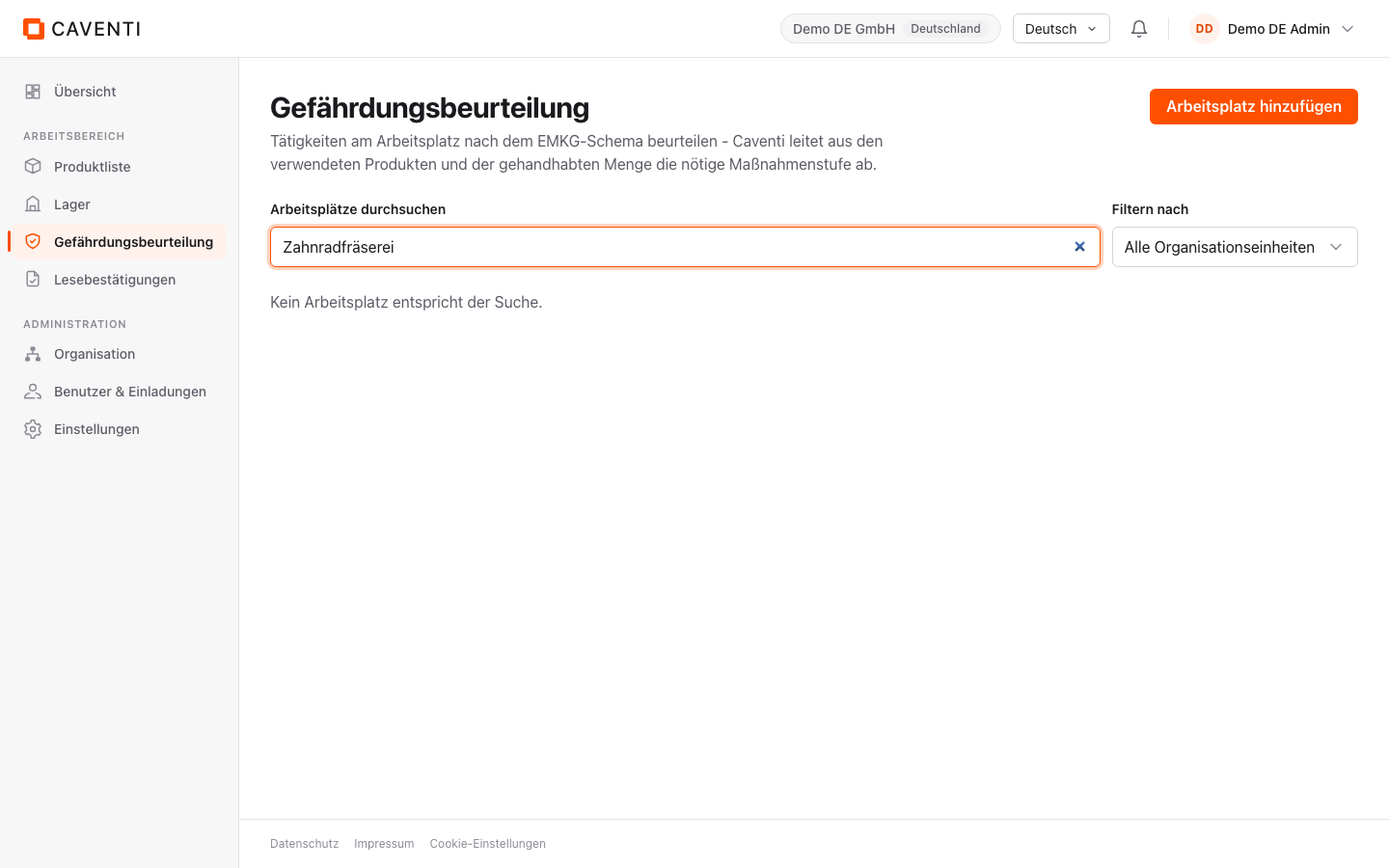
With many workplaces, three tools keep the tree manageable. The search "Search workplace, activity or product" filters server-side across all three levels; when nothing matches, the notice "Kein Arbeitsplatz entspricht der Suche." appears. The "Filter by" filter narrows to an organizational unit (default "Alle Organizational uniten"). After a reload all workplaces are collapsed again; "Load more workplaces" fetches the next page.
Bands as signposts
The bands are deliberately terse; the derivation explains the individual case, the EMKG pages explain the method. Each band links into the matching method page (inhalation/skin contact in Gd64, fire/explosion in Gd65). Where no method page exists yet for a language, the band stays a plain label with no link.
FAQ
Does the risk module replace an assessment by a competent person?
No. The assessment follows the EMKG control-banding scheme and is advisory. It makes the derivation traceable but does not replace an assessment by a competent person; "Fire/Ex expert advice" explicitly points to a case-by-case review.
Why do I not see a STOP measure list?
This view produces no general STOP-principle list. Concrete measures appear on the fire side of the derivation dialog (protection guides and inspection intervals); the inhalation side instead shows the numbered "How the control approach was derived".
What happens when product data is missing?
The assessment continues and rounds to the safe side. The derivation dialog flags the gap, e.g. "Neither boiling point nor vapour pressure is stored, so release is conservatively assumed medium.", so the assumption stays visible.
Continue in the documentation
Try Caventi for free
Add your first product and see the derived hazards, the joint-storage check and the operating instruction in minutes.