Documentation
Capturing products: four doors into one register
Every product lands in the company's shared product register. You reach it by four doors, then see the hazards, the source of each value and the derived measures in one place.
The product register is the backbone of the application: storage safety, risk assessment and the operating instruction all build on the same product record. This page shows how to create a record and what follows automatically.
The shared product register
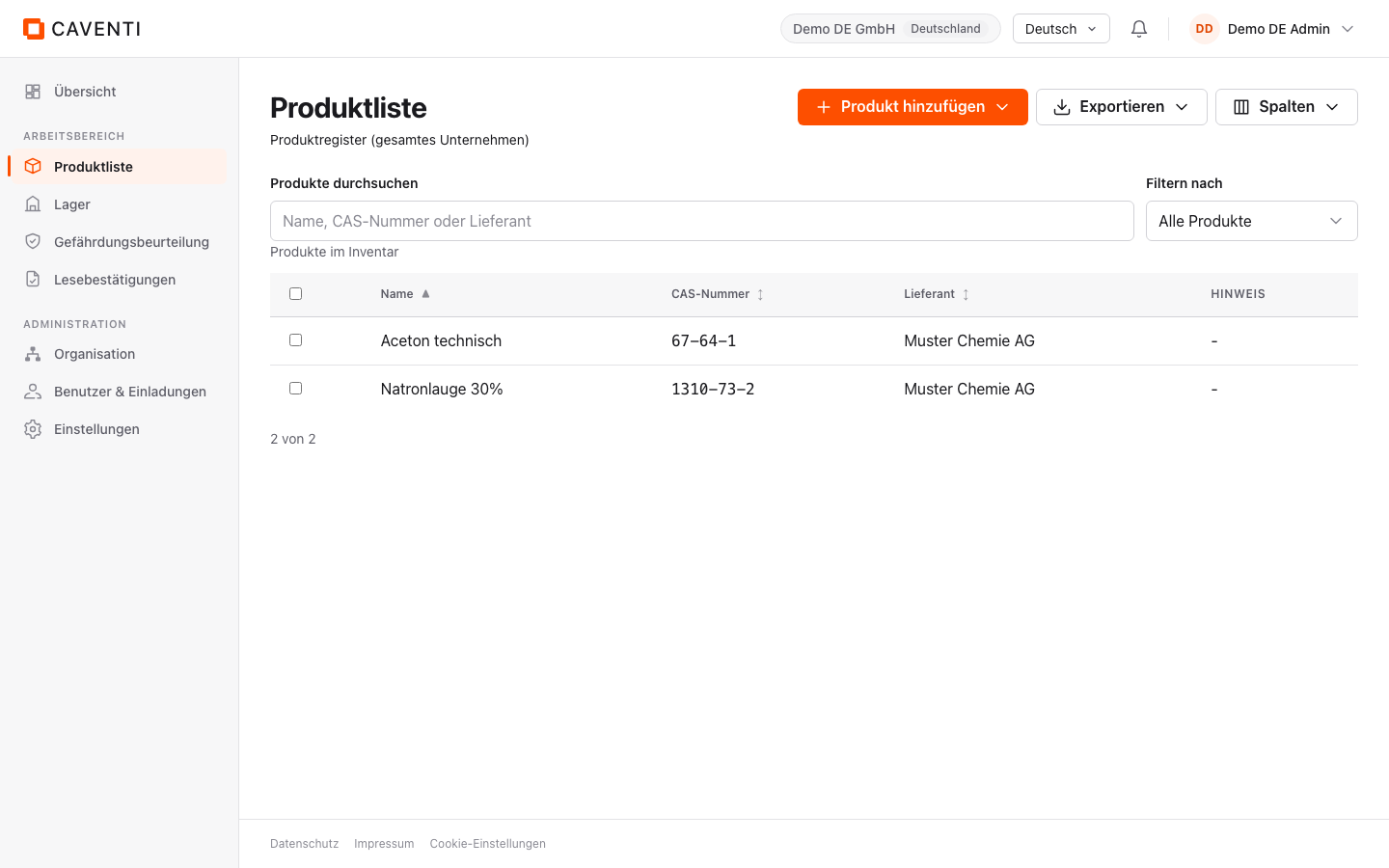
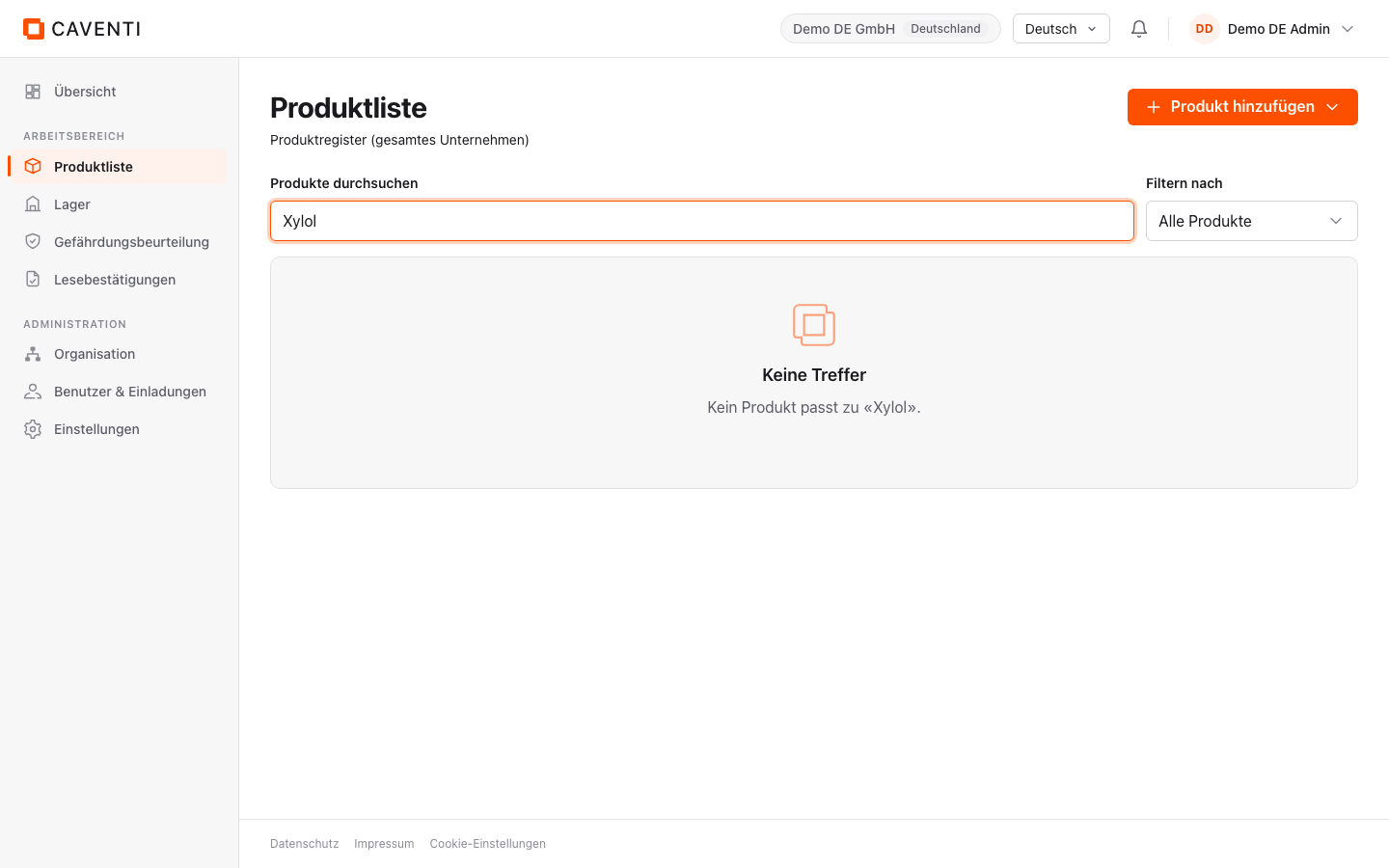
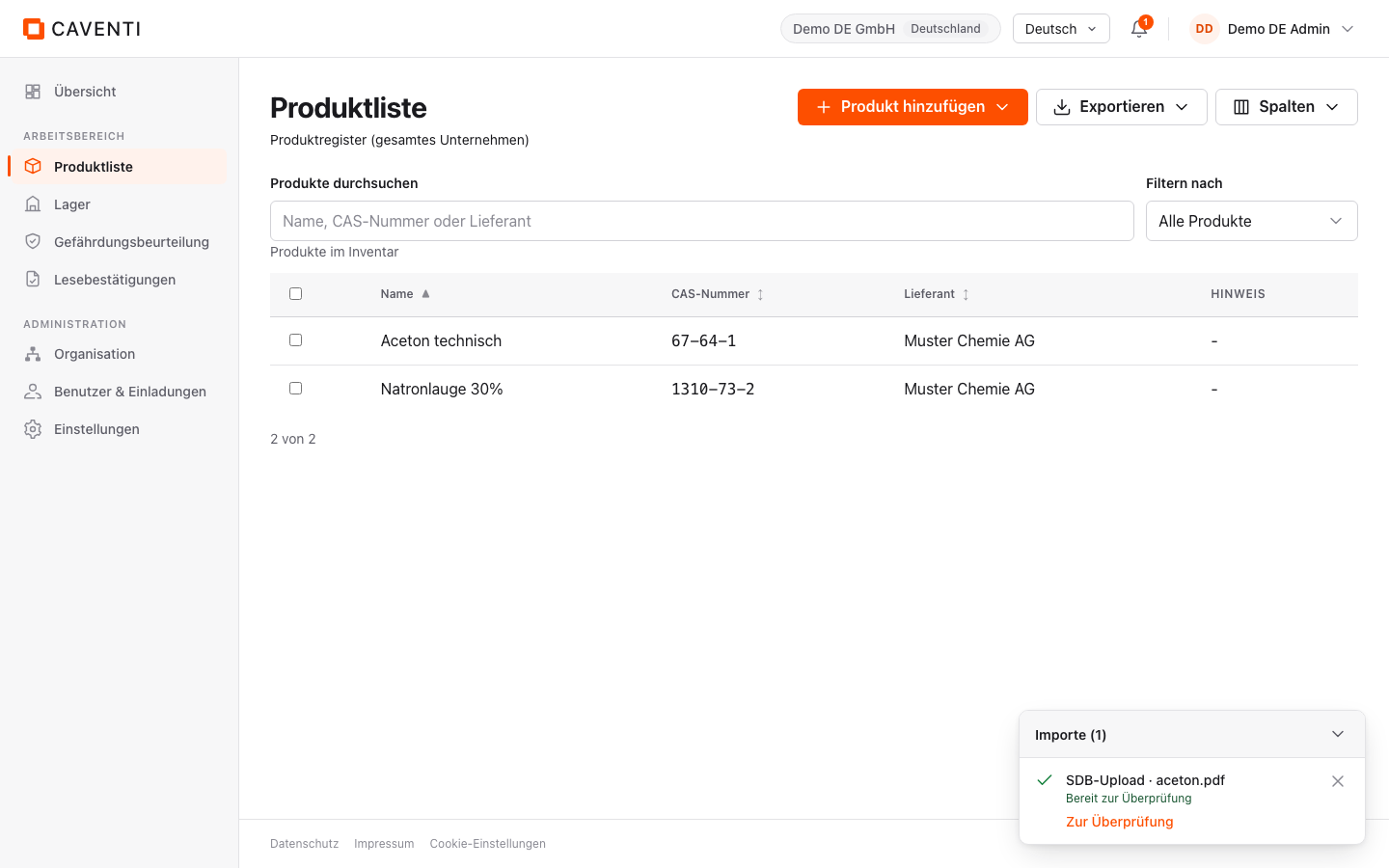
The product list (sidebar: Produktliste) holds every product in the company; the subtitle reads "Produktregister (gesamtes Unternehmen)". The search field "Produkte durchsuchen" filters by name, CAS number or supplier. When nothing matches, the "Keine Treffer" empty state echoes the query you typed.
The four intake doors
The "Produkt hinzufügen" button at the top right opens a menu with four doors. The labels differ between the menu and the intake-mode strip inside the dialog: same outcome, two entry points. All four paths end in the same product record.
- 1 Aus Quellen suchen Look up the authoritative sources (GESTIS, PubChem, ECHA).
- 2 Aus SDB erfassen Read from a safety data sheet (upload the PDF, extract the values, review).
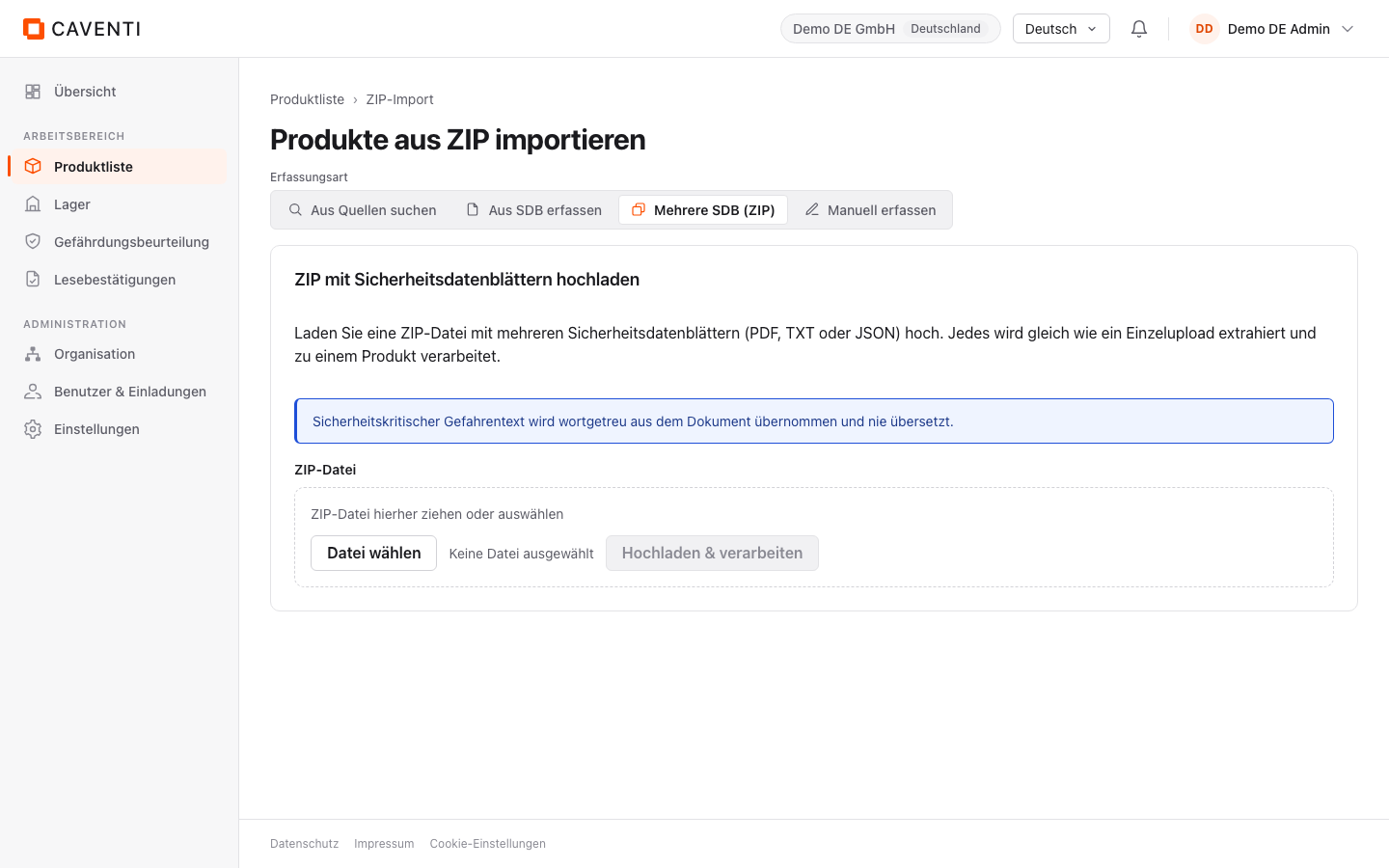
- 3 Mehrere importieren (ZIP) Upload several SDS as a ZIP; in the intake-mode strip the same door is labelled "Mehrere SDB (ZIP)".
- 4 Produkt erfassen Enter the fields by hand; in the intake-mode strip this door is labelled "Manuell erfassen".
Manual entry
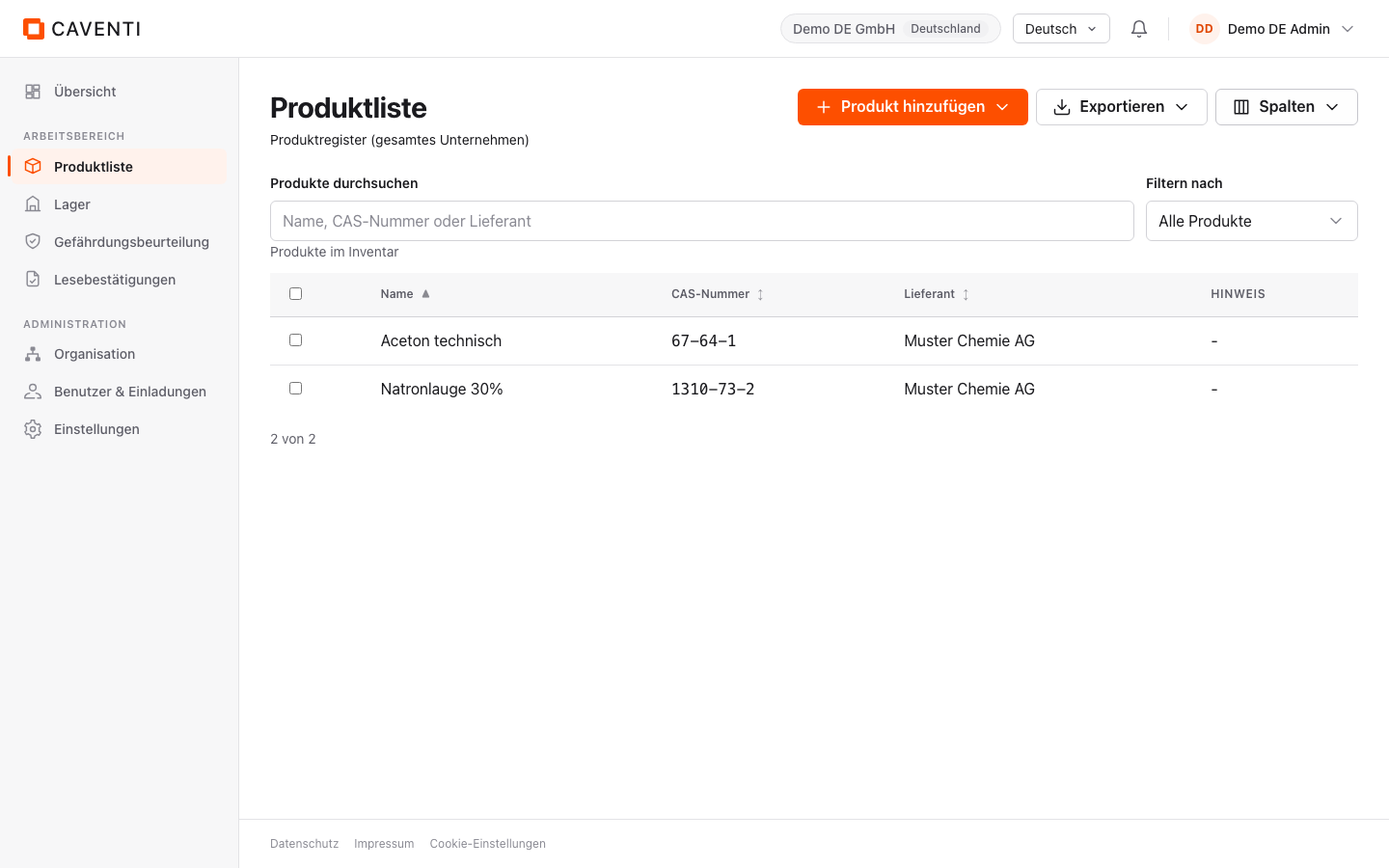
The form is grouped by identity. Name and CAS number suggest matches from the register (typeahead). Values you type by hand count as self-authored and therefore carry no source badge (see the Provenance section).
Search the sources
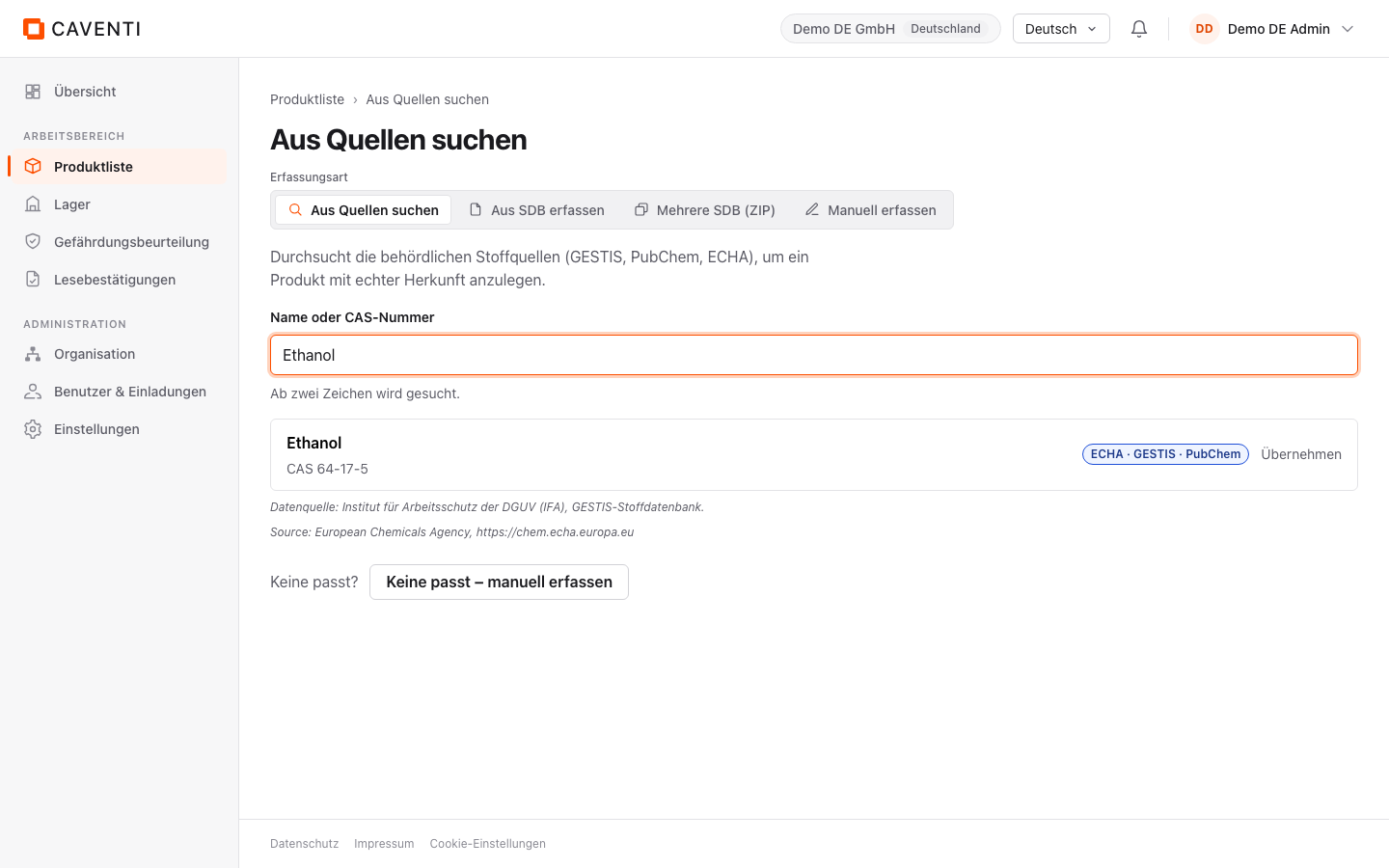
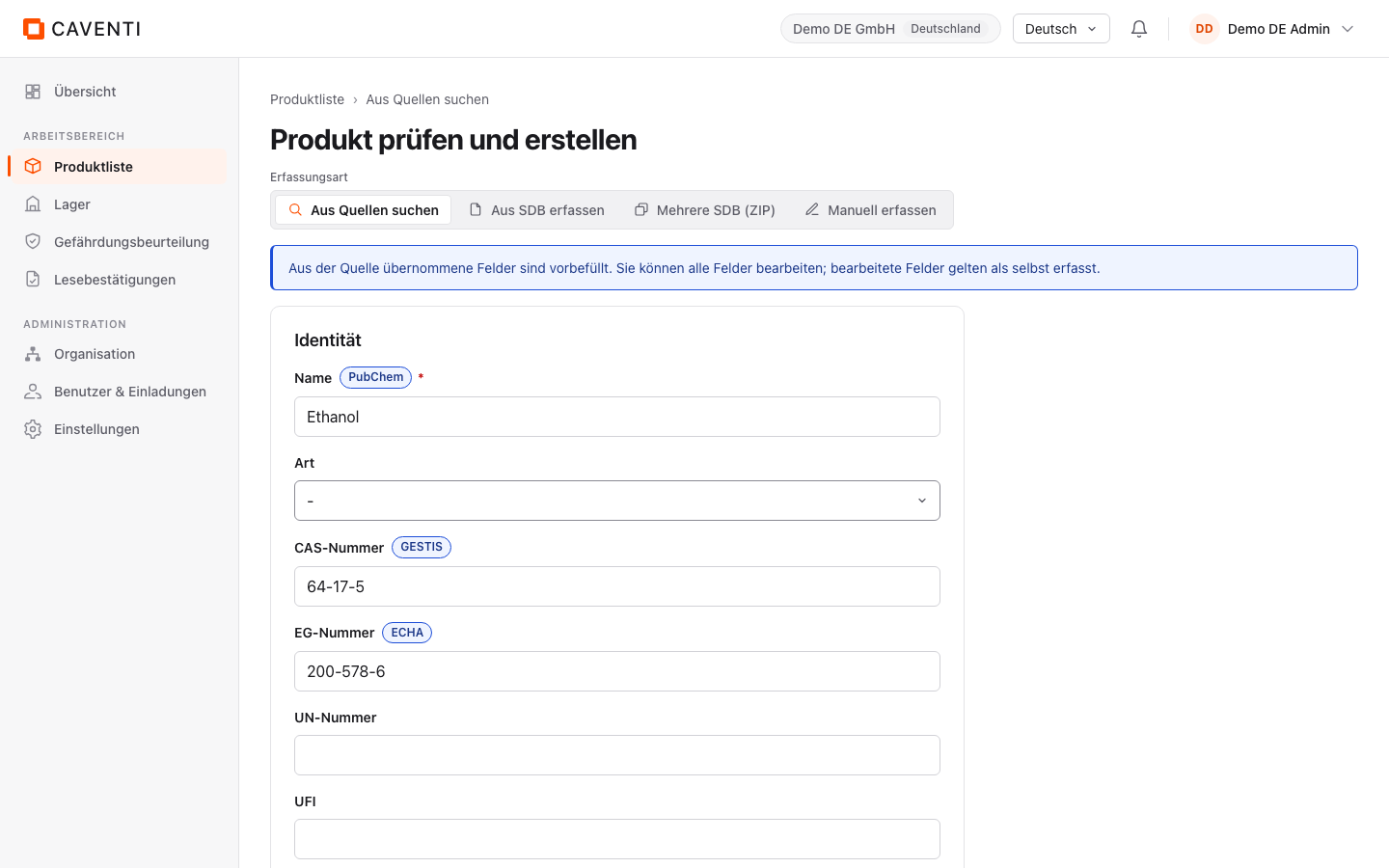
This door searches the authoritative sources live and merges the hits (deduplicated by CAS, each card carrying its source and freshness). Selection is followed by a review step. When nothing fits, "Keine passt - manuell erfassen" drops you into the manual door.
Capture from the safety data sheet
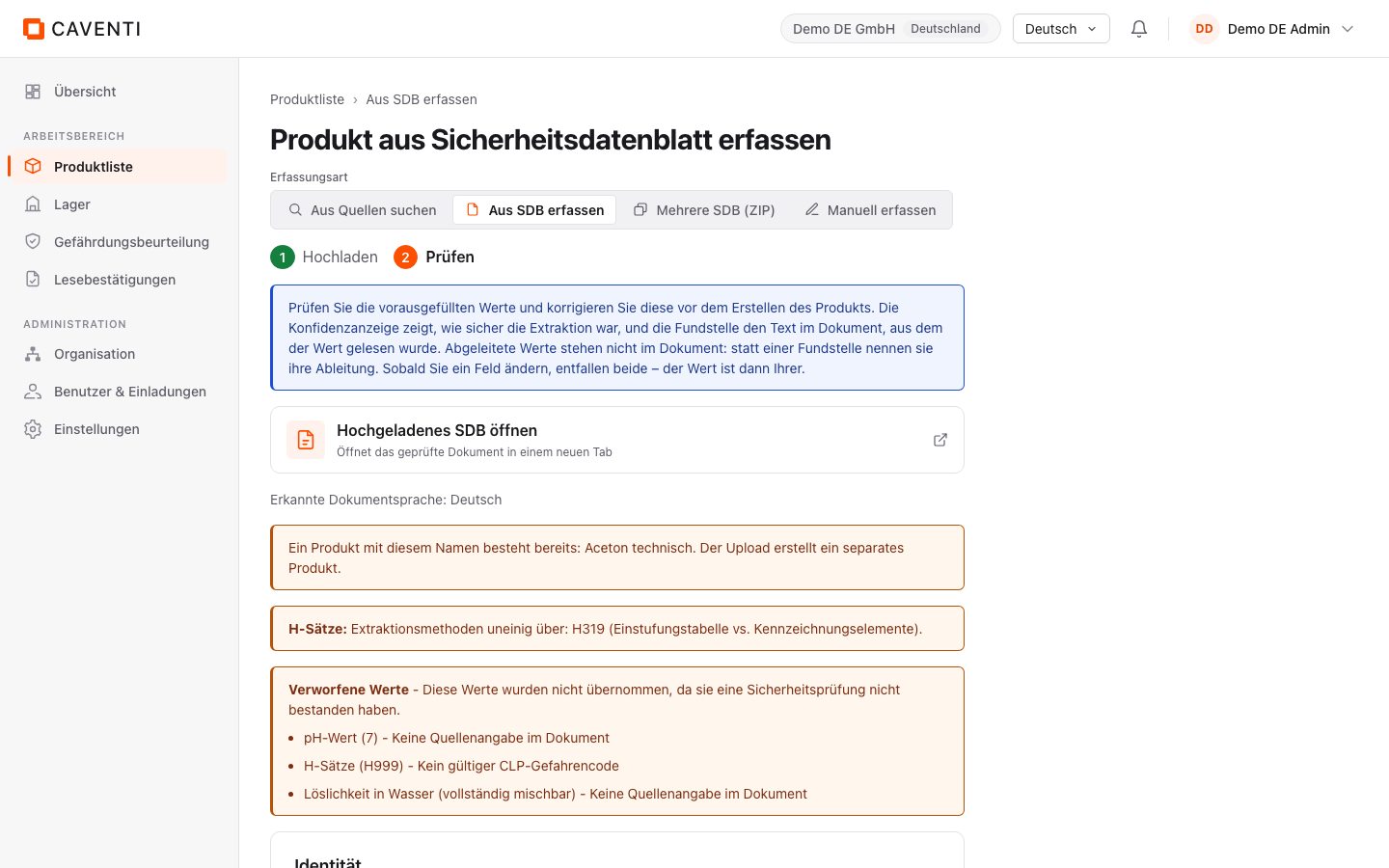
You upload the PDF; extraction runs in two stages. "Import gestartet" confirms the start, and an import dock with a notification badge shows progress. The review step that follows flags "Verworfene Werte" with safety warnings. Hazard information is taken over verbatim and never machine-translated.
Import several SDS as a ZIP
For the initial fill you upload a ZIP batch. Each file is extracted individually; the import dock shows per-file progress. You then review the records as with a single SDS.
Adopt from the master list
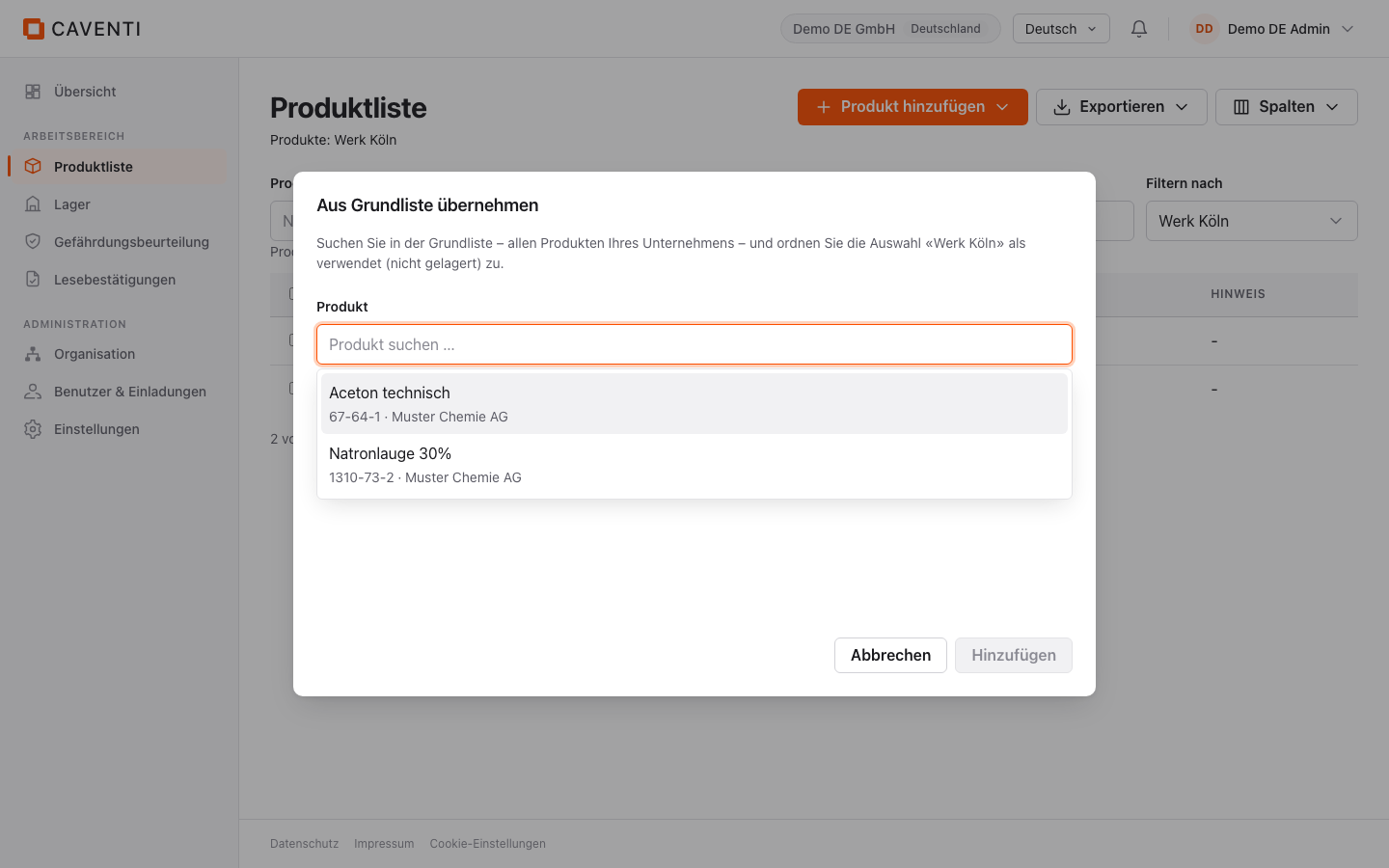
When the product list is filtered to an organizational unit, a fifth door appears: "Aus Grundliste übernehmen". It links a product already in the company to the unit (including as "used, not stored") without creating it again.
The product detail page
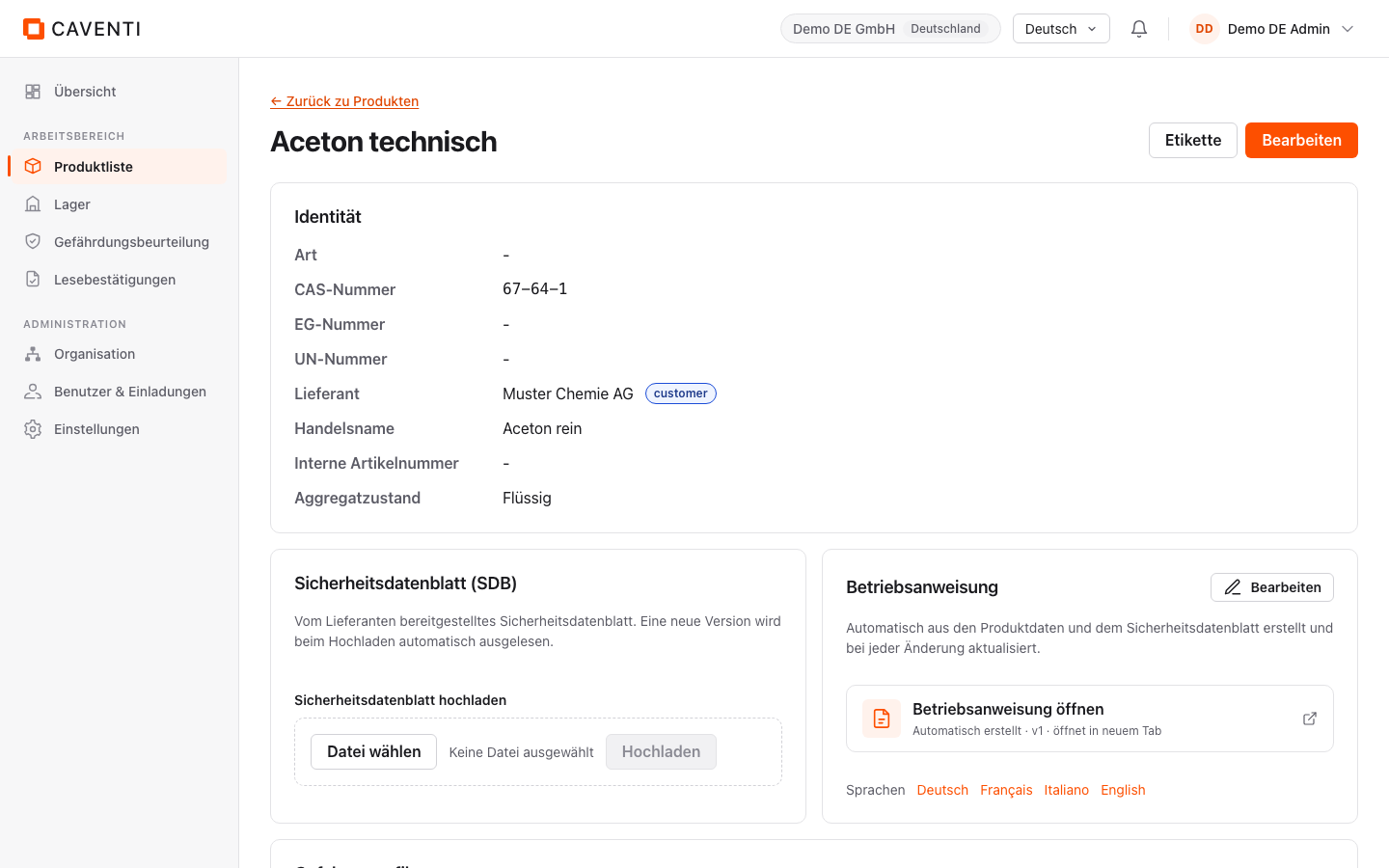
The record bundles identity, the hazard profile (signal word, H and P statements, hazard categories verbatim), physico-chemical values, storage, transport (ADR) and ingredients. The hazard profile appears this way on the label and is shown unchanged:
SIGNALWORT: Gefahr
H225 - Flüssigkeit und Dampf leicht entzündbar.
H319 - Verursacht schwere Augenreizung.
H336 - Kann Schläfrigkeit und Benommenheit verursachen.
P210 - Von Hitze, heißen Oberflächen, Funken, offenen Flammen sowie anderen Zündquellenarten fernhalten. Nicht rauchen.
P233 - Behälter dicht verschlossen halten.
P305+P351+P338 - BEI KONTAKT MIT DEN AUGEN: Einige Minuten lang behutsam mit Wasser ausspülen. Eventuell vorhandene Kontaktlinsen nach Möglichkeit entfernen. Weiter ausspülen.
GEFAHRENKATEGORIEN: Flam. Liq. 2 / Eye Irrit. 2 / STOT SE 3
Source: Institut für Arbeitsschutz der DGUV (IFA), GESTIS substance database.
Provenance
Enriched fields carry a source badge with the name of the source (GESTIS, ECHA, PubChem; "GHS" for derived values such as the storage class). ECHA and GESTIS values additionally show an unchanged attribution text. Self-authored fields (such as the supplier) deliberately carry no badge.
Ingredients and enrichment
The ingredients card lists the composition; a "Details" link opens the ingredient page. There the "Angereichert" status shows the resolved fields per source; "Jetzt anreichern" triggers enrichment.
FAQ
Are hazard statements translated?
No. H and P statements, signal word and GHS classification are taken over verbatim in their official form and never machine-translated.
What if a source returns nothing?
Capture continues regardless: missing fields stay empty and can be filled by hand; an unreachable source never blocks creation.
Continue in the documentation
Try Caventi for free
Add your first product and see the derived hazards, the joint-storage check and the operating instruction in minutes.